Early access
An ERP 2.0 OBU display for your car
Your ERP charges, alerts, and card balance — right where you can see them. A round AMOLED screen for your car, powered by a single USB-C cable, that pairs with the Gantry app and your vehicle’s On-Board Unit.
Requires the free Gantry app for iPhone (iOS 18 or later) — the display works only with the app. An Android version is in development.
The display
A dedicated screen, always in view
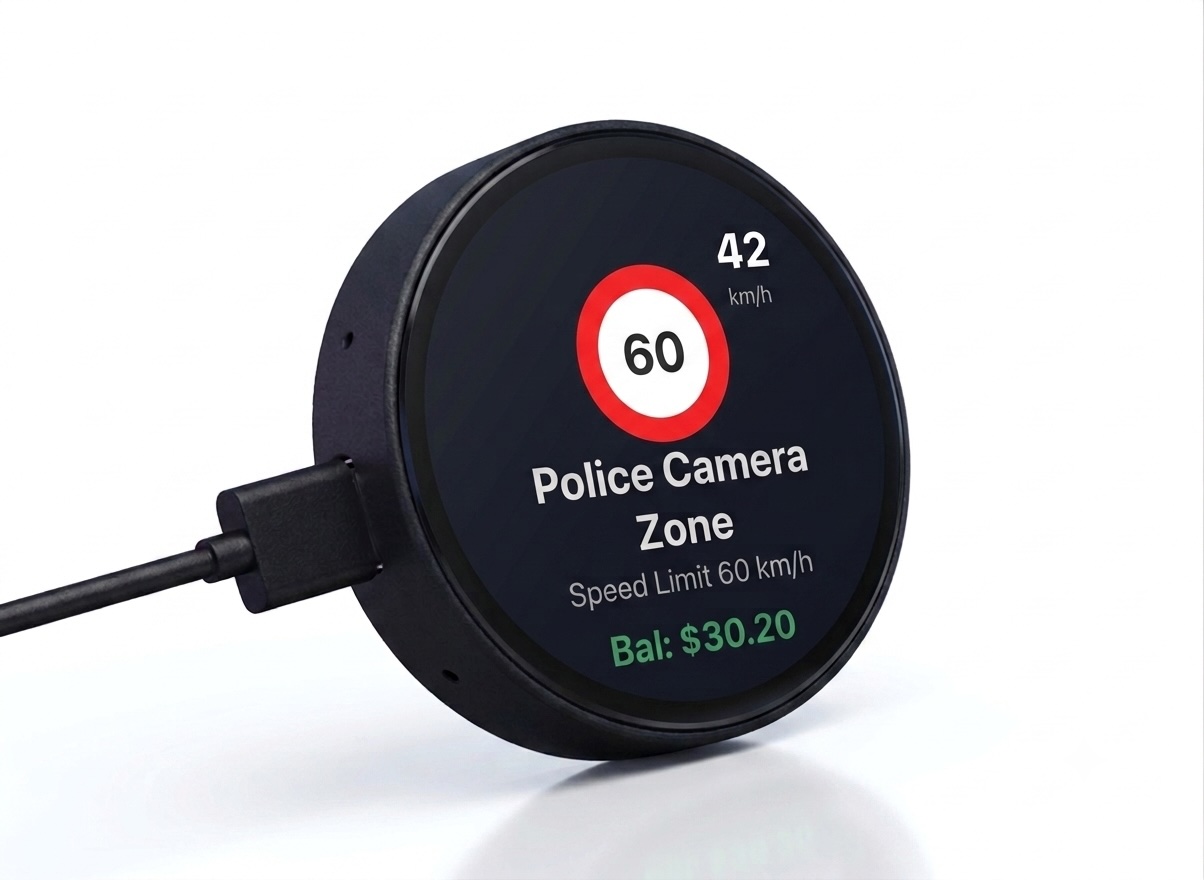
A 1.75-inch round AMOLED display (466 × 466), powered by a single USB-C cable, that mounts in your car and shows exactly what matters, when it matters.
A screen that arranges itself
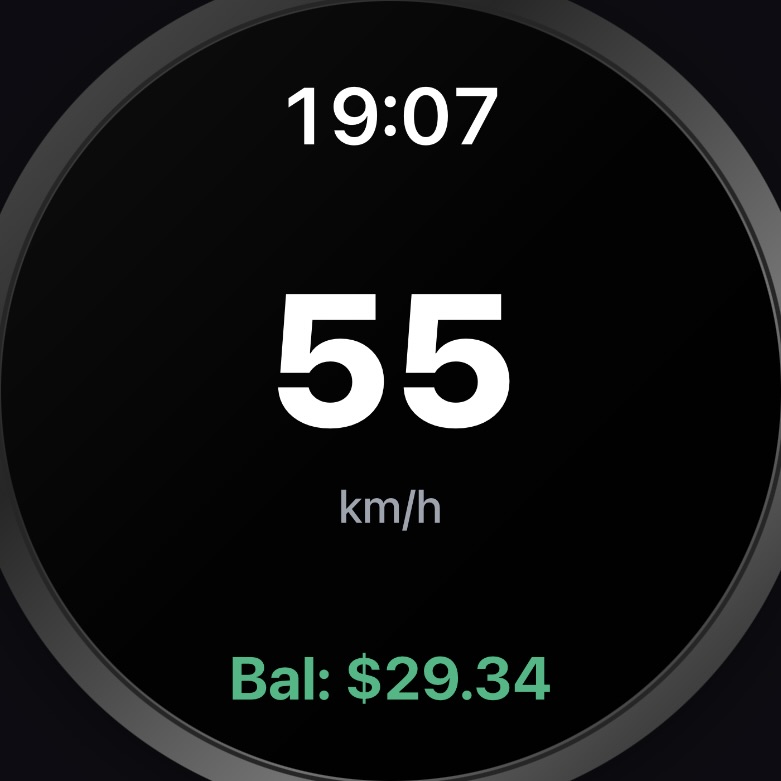
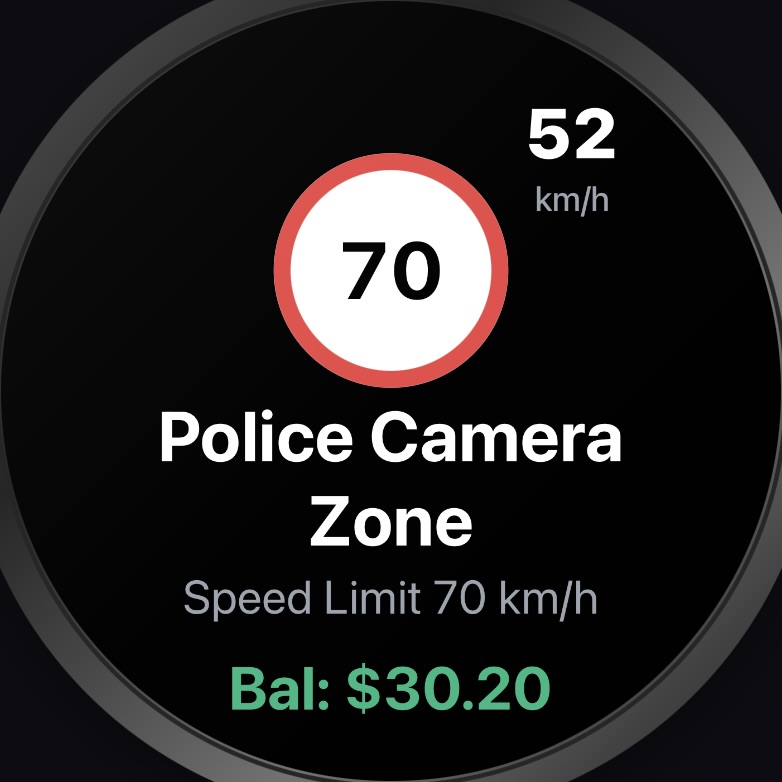
A priority-driven layout engine decides what matters most: big speed and clock when idle, an alert with its sign icon and charge amount when something happens, your card balance when it is time to top up.
Built for Singapore roads
ERP charges and deductions, speed-limit signs with a speed ring, speed cameras, parking availability, travel times, and the official LTA road-sign icons — rendered clean and legible.
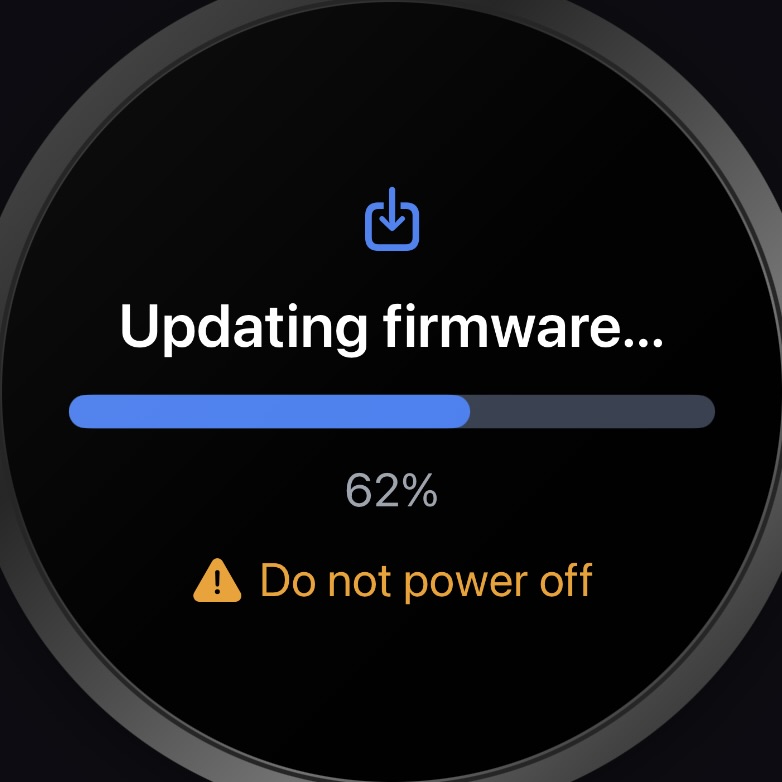
Updates over the air
New firmware is delivered straight from your phone over Bluetooth — verified, with automatic rollback if anything goes wrong. No wires, no computer.
The app that powers it
The link between your OBU and the display
The free Gantry app connects to your OBU and drives the display — and along the way it lets you set things up, customise what shows, and keep a history of every charge.


Set it up and confirm it works
A built-in preview mirrors what your display is showing, so you can position it, tune the layout, and check the connection before you set off. On the road, the display is what you watch — the app stays in your pocket.

Every charge and alert, logged
The Activity feed keeps a running history of ERP charges, card deductions, traffic alerts, and road-sign events — so nothing goes by unnoticed.

Make the display yours
Set the brightness and mounting orientation, choose which road-sign categories to show, decide how long each message lingers, size the speed, clock, and balance readouts, and toggle what appears — all pushed to the display over Bluetooth.

Pair by scanning a QR code
No cables, no fiddly codes. Point your phone at the QR on the display and you are connected — and it reconnects automatically every time you get in.
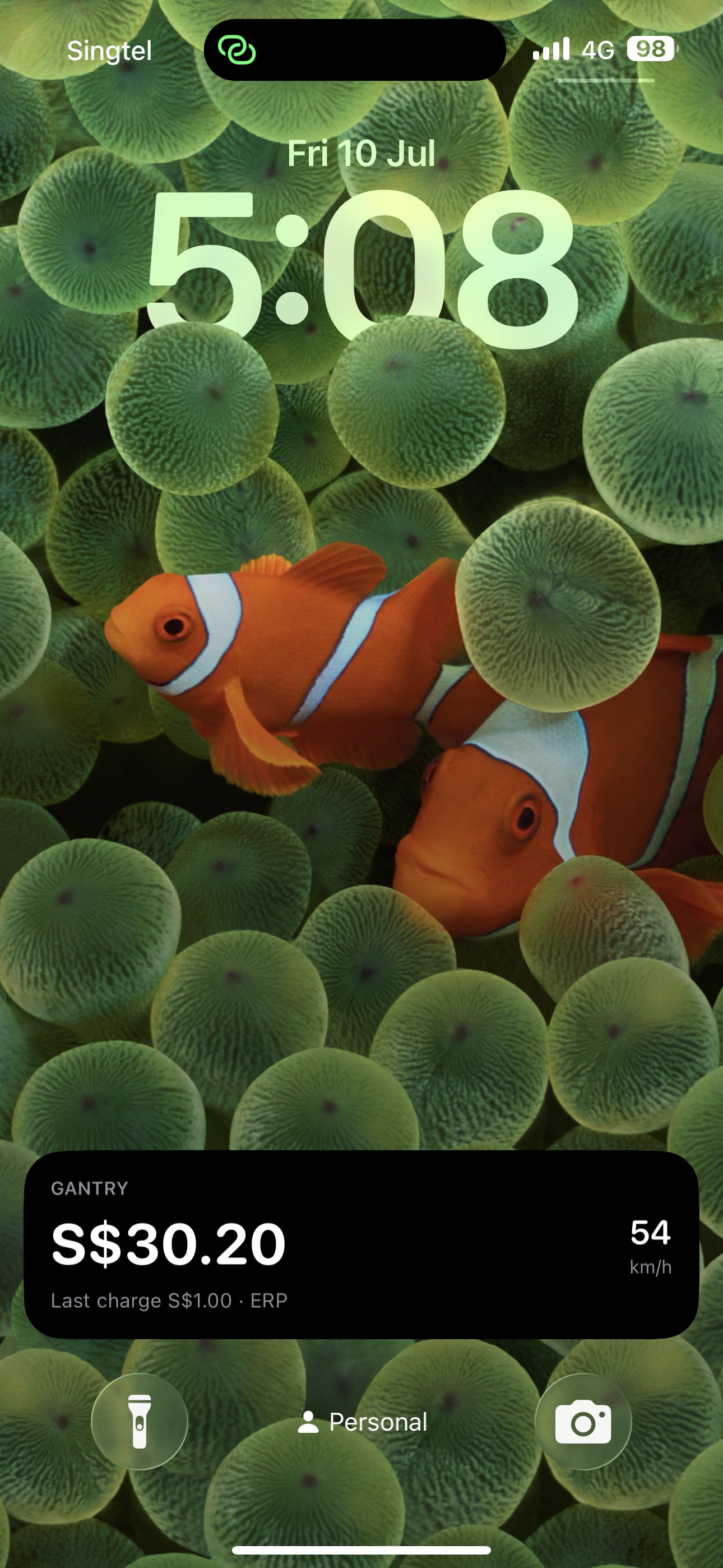
Live Activities and widgets
Keep your card balance on the Lock Screen and trip status in the Dynamic Island. Gantry runs quietly in the background so your phone can stay in your pocket.
FAQ
Questions, answered
What is Gantry?
Gantry is a round AMOLED display for your car that keeps your ERP road-pricing charges, card balance, speed, and road alerts in view as you drive. It pairs with the free Gantry app, which connects to your vehicle’s OBU (On-Board Unit) and feeds the display what to show. New to all this? Start with ERP 2.0 and your OBU, explained.
I already have the OBU’s touchscreen — why Gantry?
Gantry shows what the OBU’s bundled touchscreen shows — and does it where you can actually see it. It’s a bright AMOLED screen you position at eye level, with a layout you control from the app: font sizes, brightness, which alerts to show and for how long. And if you skipped the touchscreen when your OBU was installed (or wish you had), Gantry works exactly the same — it doesn’t need the OBU’s display at all; we set out what that actually costs you in no OBU touchscreen? what you can still see.
Do I need the hardware display?
Yes — the Gantry Display is the product. It’s a dedicated, always-in-view screen that mounts in your car and is powered by a single USB-C cable. The Gantry app isn’t a standalone dashboard; its job is to bridge your OBU and the display, relaying charges, alerts, and balance for the display to show. The app and the display work as a pair: the display is what you buy, and the app is what makes it work.
Which phones are supported?
Gantry currently supports iPhone running iOS 18 or later. An Android version is in development. The Gantry app is required for the hardware display to work, so an iPhone is needed to set up and use the display today.
How do I get the Gantry app?
It’s free — download Gantry SG on the App Store. The app is your setup tool and the bridge between your OBU and the display, so install it before your collection day and you’ll be on the road in minutes.
Which vehicles and OBUs does it work with?
Any car with Singapore’s next-generation ERP OBU installed. Gantry talks to the OBU (via your phone), not to the car itself, so make and model don’t matter. Two things it doesn’t support: vehicles still on the old first-generation IU, and motorcycles — the one-piece motorcycle OBU isn’t supported. More on how the OBU is put together.
What does setup involve?
Three steps, all one-time. First, register your iPhone’s Bluetooth with LTA at ERP Online Services — our registration guide walks you through it. Next, pair your OBU in the Gantry app. Finally, scan the QR code shown on the display and the two connect over Bluetooth — no cables, no fiddly codes. From then on, everything reconnects automatically each time you drive. Our first-time setup guide walks through the whole thing end to end. Moving to a new phone? See the unpair & re-pair guide.
Does my phone need to be in the car?
Yes — your phone is the bridge between the OBU and the display, so Gantry needs it along for the ride. It doesn’t need attention, though: the app runs quietly in the background with your phone in your pocket, and a Live Activity keeps your balance on the Lock Screen. If the phone leaves the car, the display simply waits until it’s back.
Can more than one driver share the same display?
Yes. Any number of phones can pair with the same Gantry Display — a shared car, or you and your partner swapping seats. Each new driver installs the app and scans the display’s pairing QR code once, without disturbing the phones already paired. Up to two phones can be connected at the same time, and whichever one is connected to your OBU is the one that drives the display — hand-off between them is automatic, so there’s nothing to switch on or off when a driver swaps in or out. A third phone simply waits for one of the two spots to free up. You can also remove a driver without affecting anyone else. Our multi-driver guide walks through pairing extra phones, who gets the display, and handing it over.
The display says “Waiting for OBU” when I start the car — is something wrong?
No — that’s normal. The OBU takes about a minute after ignition to boot, and Gantry connects the moment it’s ready. If the message lingers well beyond that, check that Bluetooth is on and the Gantry app is running, or reach out via our support page.
Does Gantry affect my ERP charges or the OBU?
No. Gantry only listens: the app reads charge and alert messages from the OBU using LTA’s official OBU API, and never changes how the OBU works. Your ERP charges and card deductions happen exactly as they would without Gantry — you just finally get to see them clearly.
Can I enable or disable a CashCard on the OBU from Gantry?
No. LTA’s OBU API is read-only, so Gantry can see what the OBU reports — charges, alerts, balance — but can’t send anything back to it. Enabling or disabling a stored-value card, or changing anything else about how the OBU is set up, has to be done through the OBU itself or LTA’s own channels. This is a limit of the API, not something we can add later. See how to check your OBU card balance for what the OBU does report about your card.
Where does the speed reading come from?
From the OBU’s GPS — the same speed your OBU knows. GPS speed can differ slightly from your car’s speedometer, so treat Gantry’s reading as a helpful reference and drive by your dashboard.
Is my data private?
Yes. Only your phone communicates with the OBU, using LTA’s OBU API/SDK. The display receives only the minimal messages needed to show a charge or alert — it never connects to your vehicle directly. There’s no account to create, and we don’t collect your data on our servers — see the privacy policy for the full picture.
How are updates delivered?
Firmware updates are pushed from the app to the display over Bluetooth, verified before installing, with automatic rollback for safety. The app itself updates through the App Store. All updates are free.
What’s included when I order?
You receive the Gantry Display itself. It does not come with a USB-C cable or a mount — any standard USB-C power source works, and we deliberately leave mounting up to you so you can place it wherever suits your dashboard, cabin, and viewing angle best.
How much is it, and how do I order?
The Gantry Display is S$200, on sale now as an early-access (beta) product. Use the order form on this page and pay a S$50 deposit to reserve your unit; the remaining S$150 is due on collection. Units are prepared in small batches — we’ll confirm your collection date when you order, typically within 1–2 weeks.
Guides
Getting to grips with ERP 2.0
Straight answers about the OBU in your car — useful whether or not you ever buy anything from us.
ERP 2.0 and your OBU, explained
What changed when the gantries came down, the three parts of the OBU and where they sit, and what it can charge you for.
Read the guide →No OBU touchscreen? What you can still see
The touchscreen was optional and plenty of drivers skipped it. What you actually lose, and the two ways to get it back.
Read the guide →How to check your OBU card balance
Where the balance lives, how to see it with or without the screen, and what every card status the OBU reports means.
Read the guide →Every alert your OBU can show you
Speed limits, camera zones, School and Silver Zones, accidents, closures — the full catalogue, in plain English.
Read the guide →Order your Gantry Display
S$200
S$200 total — a S$50 deposit secures your order, and the remaining S$150 is paid on collection.
Place your order — S$50 depositGantry is an early-access (beta) product. It’s on sale now and improving continuously through app and firmware updates — expect refinements over time.